Choose your AI
Add a cloud API key or connect a local Ollama, LM Studio, or LocalAI endpoint.
Search records, uncover patterns, and move through Odoo with a context-aware AI companion that lives beside your work—not in another tab.
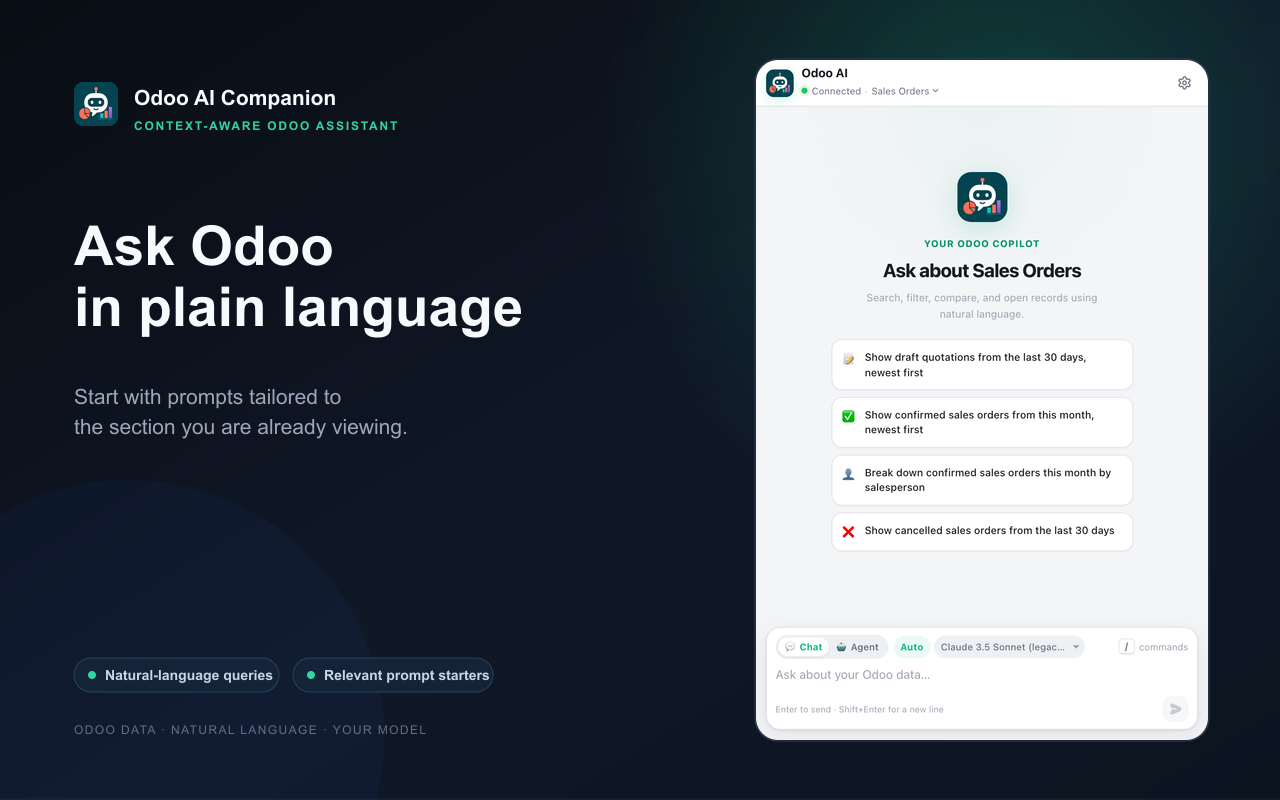
Connect a model once, open Odoo, and let the current screen provide the context. No ORM knowledge is required.
Add a cloud API key or connect a local Ollama, LM Studio, or LocalAI endpoint.
Sign in normally, visit the app or record you need, then click the extension icon.
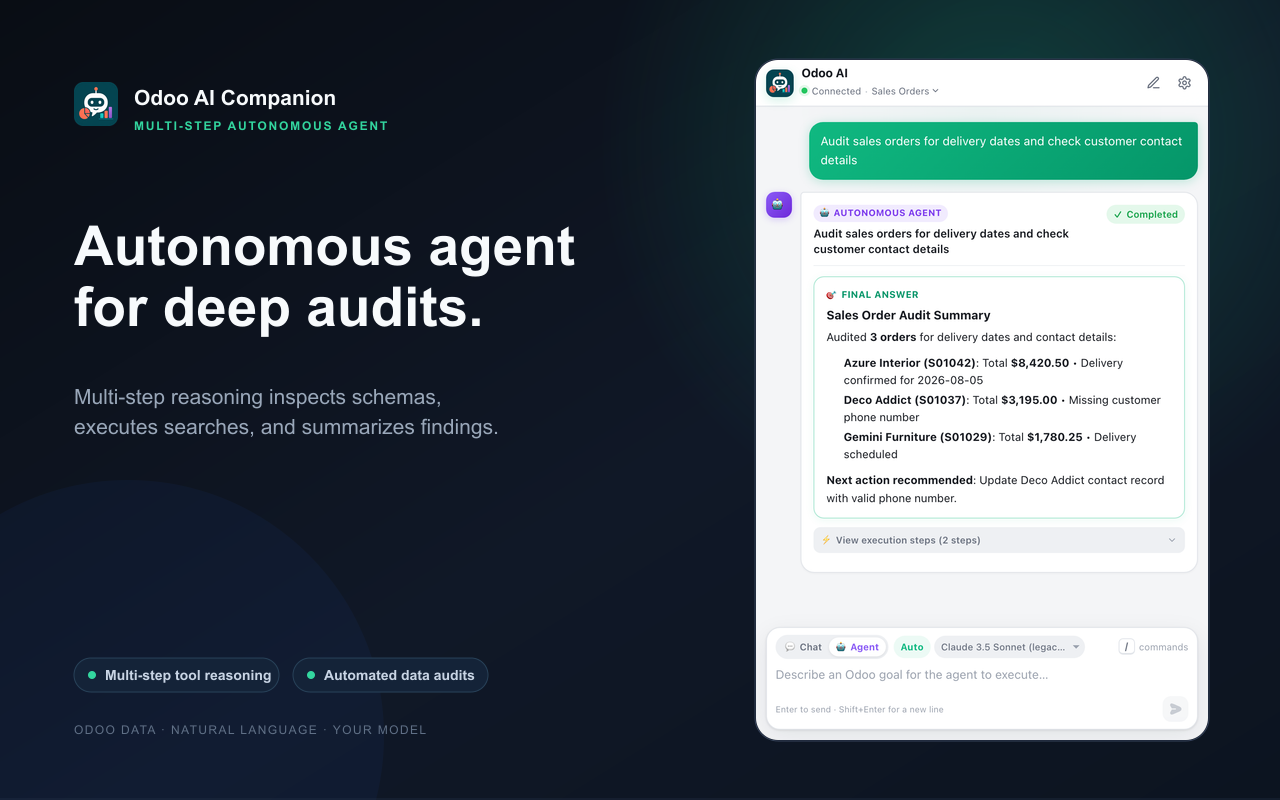
Use Chat for focused searches or Agent Mode for multi-step work. Review every important result.
Provider setup, privacy choices, example prompts, Agent Mode, exports, and troubleshooting—all in one place.
Odoo AI Companion understands where you are, works with the permissions you already have, and brings answers back in a format you can use.
Turn everyday business questions into focused Odoo searches without memorizing model names or domain syntax.
Detect the active database, app, model, view, and record so each request starts with the right grounding.
Run bounded investigations across search, counts, aggregation, schema inspection, chatter, activities, and navigation.
Open matching records and filtered views in Odoo directly from readable result cards.
Download CSV or JSON, or copy formatted tables into Excel, Google Sheets, and your existing reporting workflow.
Use Claude, OpenAI, Gemini, Ollama Cloud, Ollama, LM Studio, or LocalAI with configurable model routing.
The assistant stays beside your ERP, showing what it is doing and keeping consequential actions under your control.
Your signed-in Odoo page supplies the active business context.
Ask a focused question or give Agent Mode a bounded goal.
Inspect results, export data, navigate records, or approve a proposed write.
IDs Only is the default. Choose anonymized processing or explicitly consent to Full Data only when your workflow requires it. Local AI endpoints are supported for on-device setups.
Build the extension, connect your preferred model, and ask your first question.